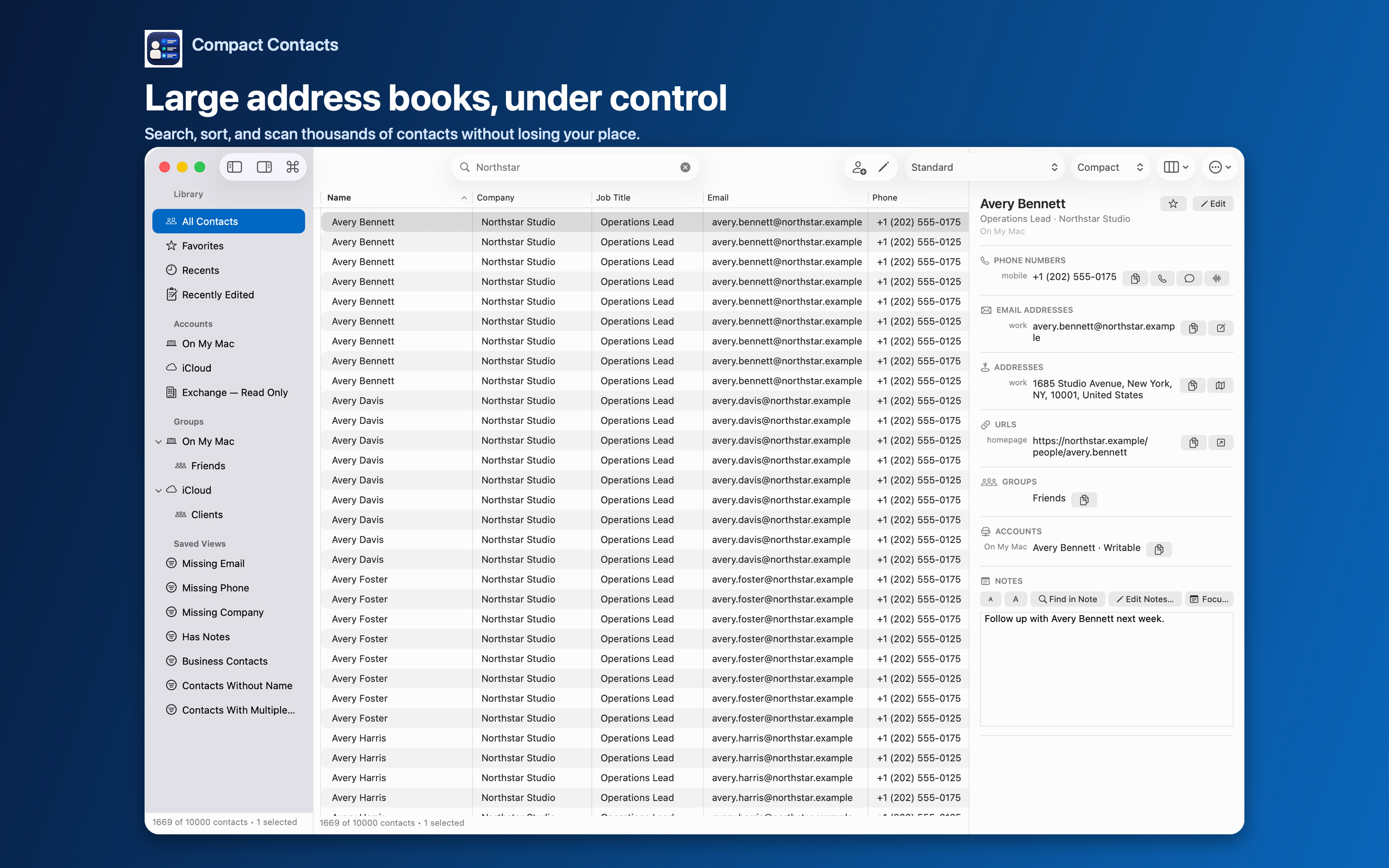
Dense, configurable table
Choose columns, sorting, and row density, then inspect the selected card in a separate detail panel.
 Compact Contacts
Mac 1.6 · iPhone & iPad 1.6 · Now on iPhone
Scan thousands of contacts, search long Notes, standardize fields with previewed Bulk Edit, and merge selected contacts field by field. Native on Mac, iPhone, and iPad.
Mac 1.6 · iPhone & iPad 1.6
Version 1.6 turns Compact Contacts Manager into one universal iPhone and iPad app with the full iPad feature set, and updates the Mac app with layouts that stay put and better phone-number grouping.
One purchase of Compact Contacts Manager covers iPhone and iPad, so existing iPad owners get the iPhone version at no extra cost. The Mac app, Compact Contacts, is a separate purchase.
Still included on every platform: search results grouped by the field that matched, Bulk Edit cleanup of repeated values, previewed deletion with recovery, and field-by-field Merge Studio.
New in 1.6 · iPhone
Compact Contacts Manager runs on iPhone with the complete iPad feature set, in a layout adapted to the phone.
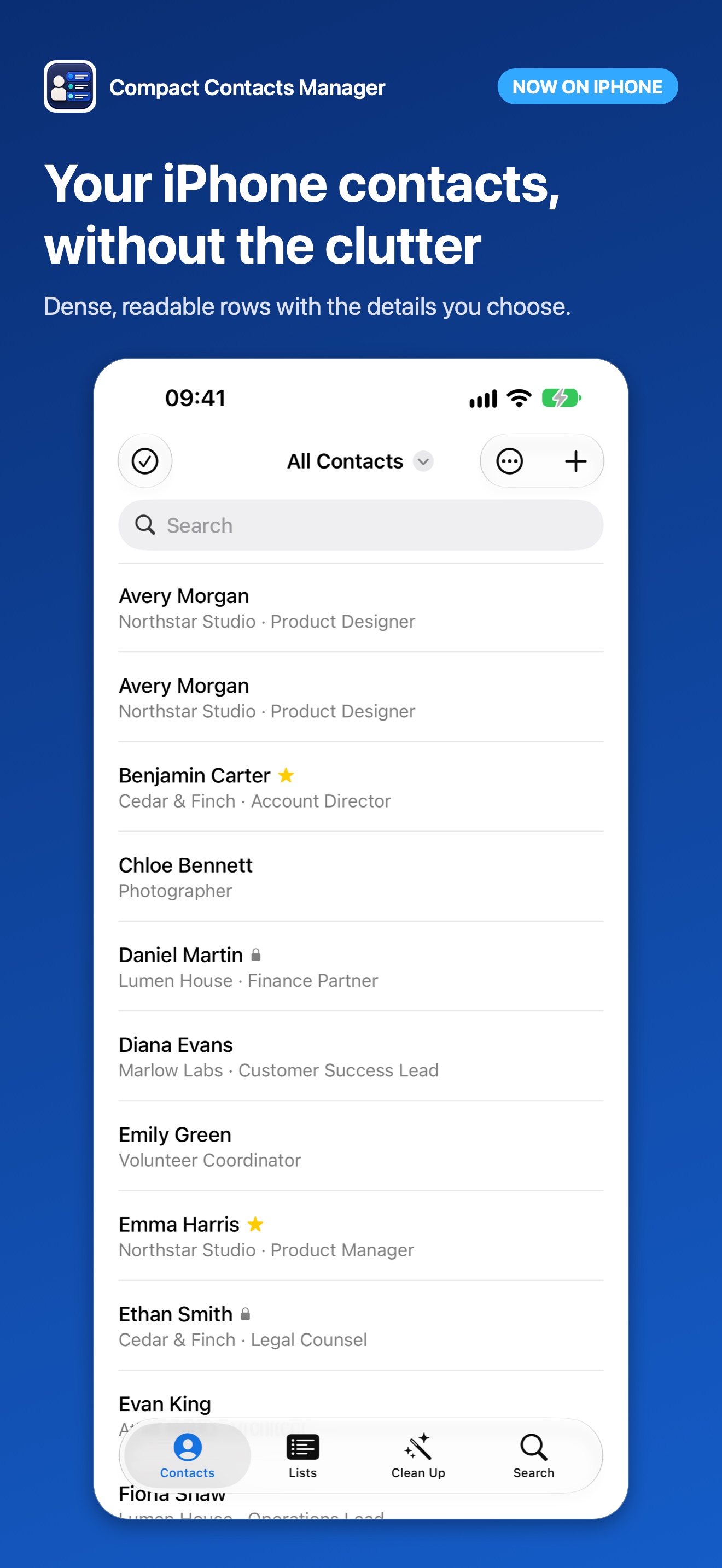
Built for real address books
Compact Contacts adds an information-dense workspace without creating a new account, CRM, or contact cloud.
Choose columns, sorting, and row density, then inspect the selected card in a separate detail panel.
Read, search, and edit accessible Notes. The app indexes Notes separately, shows progress, and keeps the optional index in memory.
Combine All or Any rules and retain columns, sorting, density, and detail layout with the view.
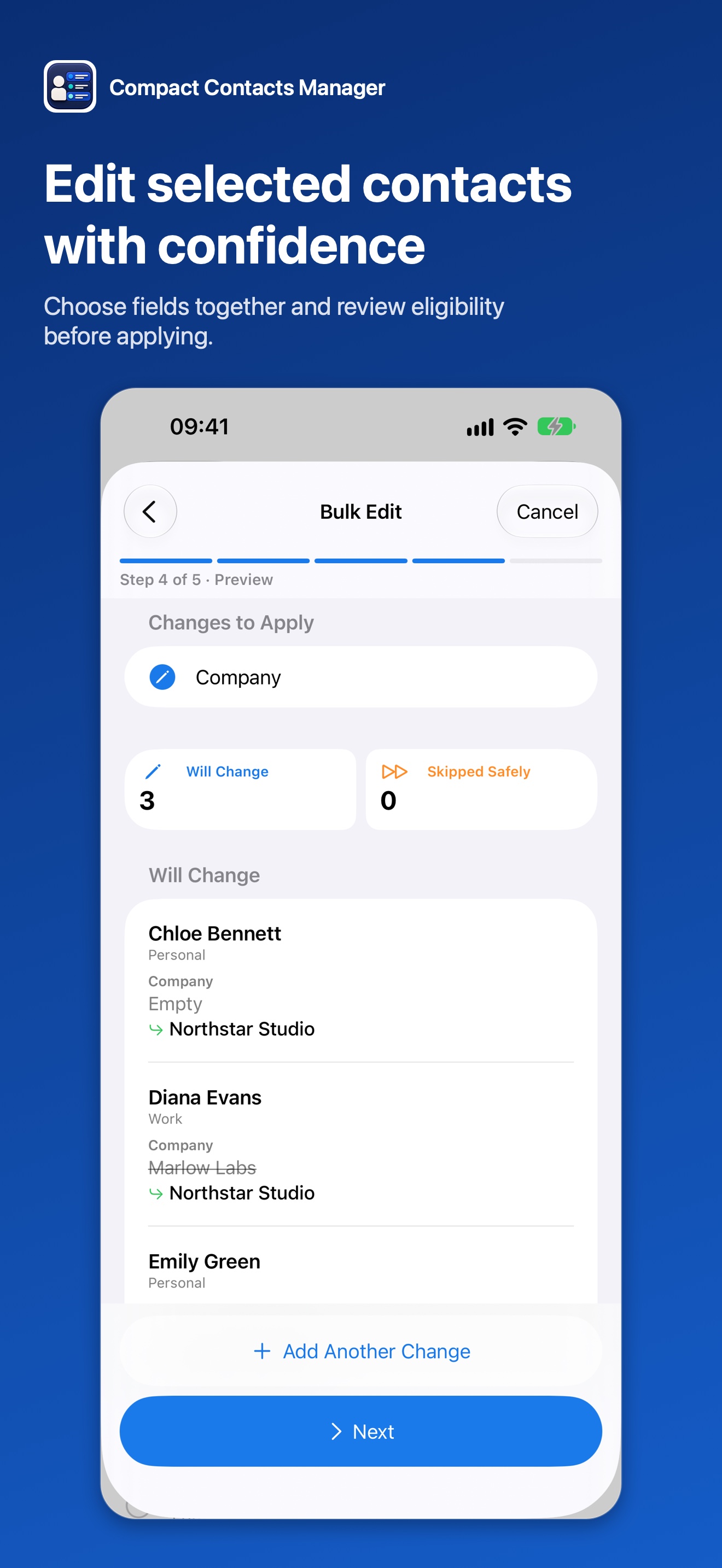
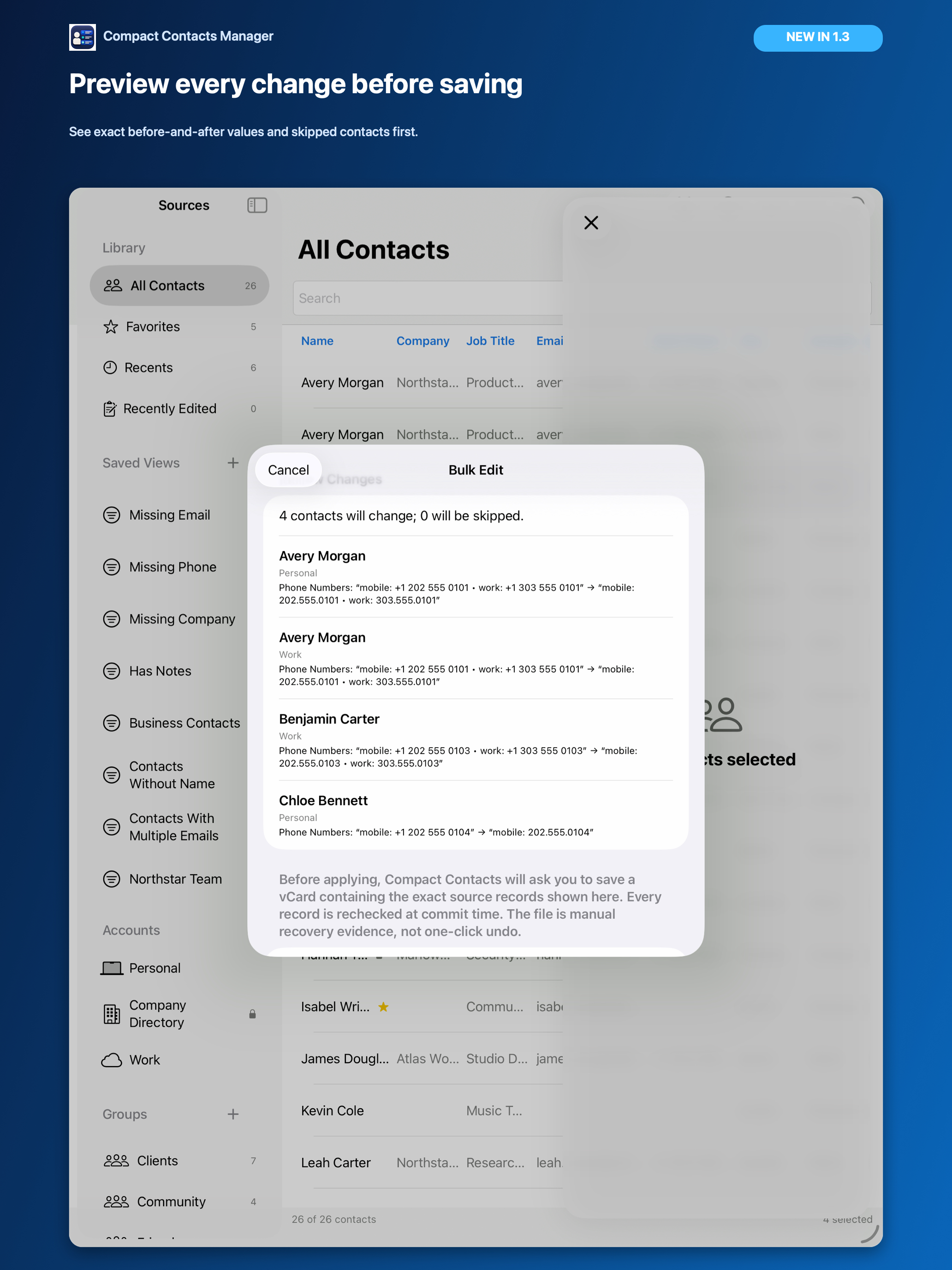
Update names, organizations, labeled values, addresses, birthdays, groups, and Notes. Use text or regex transformations with exact before-and-after review.
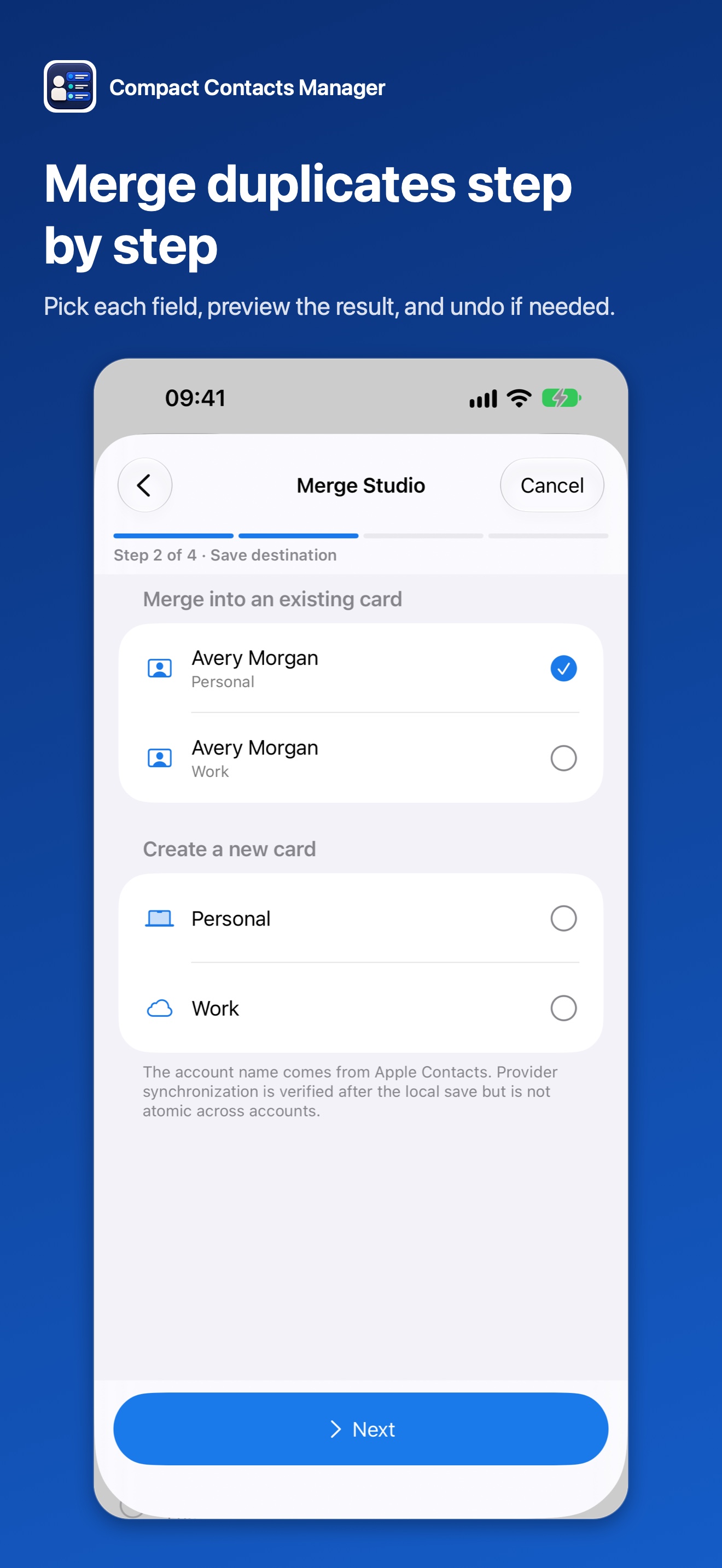
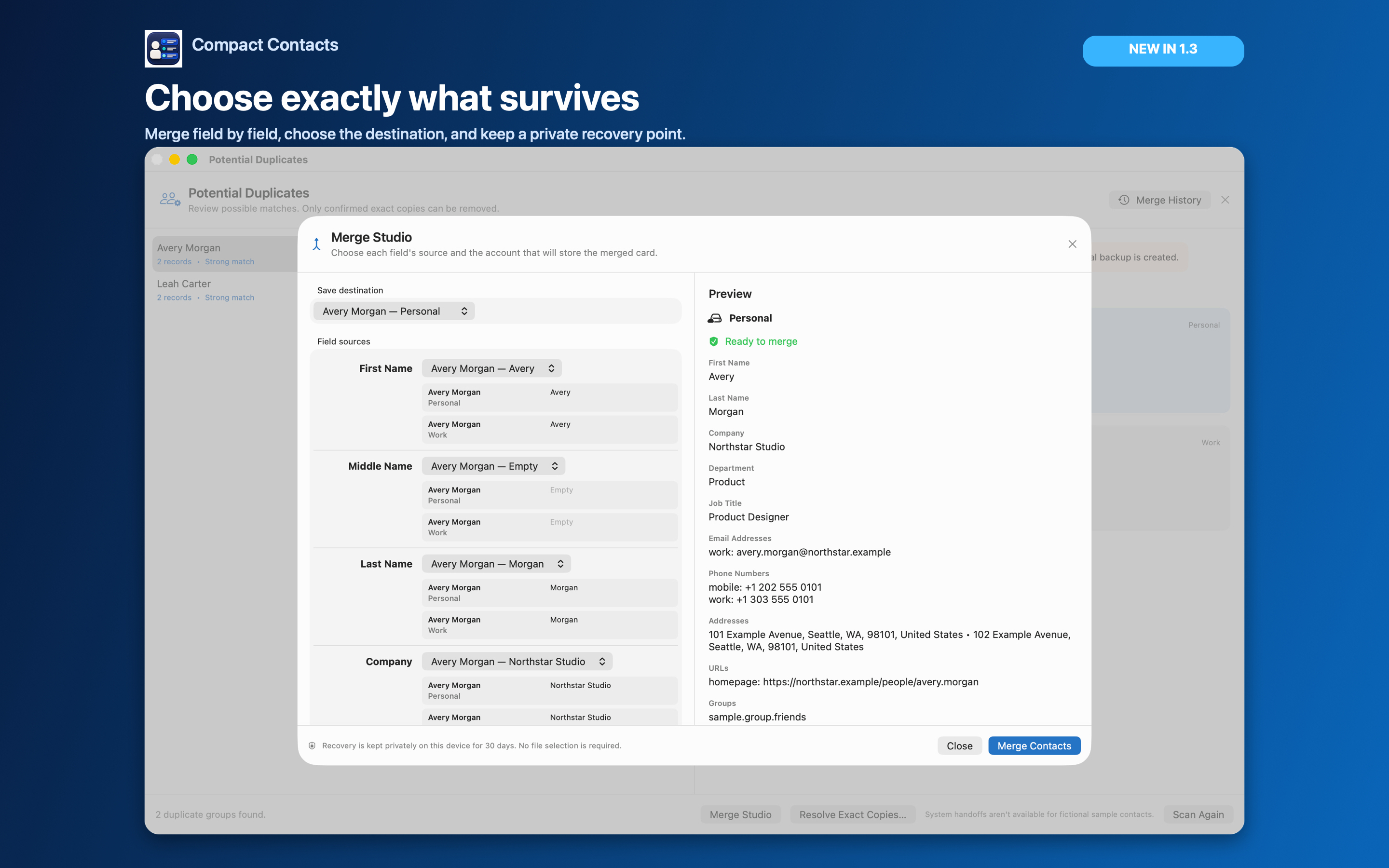
Choose values field by field, combine multi-value data, select the destination, and undo eligible merges from encrypted on-device history. On iPhone it runs step by step.
No developer contact backend, advertising, third-party analytics, or remote contact search index.
Mac, iPhone, and iPad · Merge Studio
Compare the stored value from every source card, choose the destination, and review the merged card before anything is written.
Mac, iPhone, and iPad · Bulk Edit
Apply literal or bounded regular-expression transformations to a selected set and inspect every result first.
Core workflow tour
The short tour covers the table, search, Command Palette, export review, Smart Views, and Bulk Edit. The screenshots above show the cleanup and Merge Studio workflows.
Private by design
Contact content, search, and optional Notes indexing are processed on your device. Compact Contacts has no developer-operated contact backend, third-party analytics, advertising, or account.
Read the privacy policy →Practical guides
Clear explanations for Notes, filters, groups, exports, duplicates, privacy, and choosing the right kind of contact tool.
Once a month, review Recently Edited, open your audit Smart Views, fix a few gaps, remove repeated values, and scan for new duplicates.
Judge a contact manager by where it keeps data, how safely it changes records, how it handles duplicates and Notes, and whether the pricing fits.
Explore Sample Contacts first, then verify account visibility and practice one narrow workflow before applying a change to real contacts.
Back up, then work from the least to the most destructive step: audit, fill gaps, standardize, remove repeated values, merge, and only then delete.
Apple only lets approved apps read contact Notes. You need a current App Store build, Contacts permission, and an account that provides the Notes field.
Decide which account holds work contacts, make Company and Job Title consistent, then build Smart Views such as Business Contacts and per-company teams.
Straight answers
No. Apple’s system Contacts database remains the source of truth. The app stores preferences such as Smart Views, not a developer-hosted copy of your address book.
macOS, iOS, iPadOS, and the configured provider. Compact Contacts works with the records Apple exposes and does not claim to operate or verify synchronization.
No. Compact Contacts Manager is one universal app: a single $12.99 purchase covers iPhone and iPad, and existing iPad owners get the iPhone version at no extra cost. The Mac app, Compact Contacts, is a separate $24.99 purchase.
Yes. The Sample Contacts workspace contains fictional, temporary, on-device records and does not change the system Contacts database.
No. On Mac, iPhone, and iPad, Merge Studio asks you to choose the surviving fields and destination for one group at a time, then keeps eligible recovery in encrypted on-device Merge History. You can also start from selected contacts. There is no Merge All action.
Compact Contacts for Mac, iPhone, and iPad